9 Best Apps That Scan Business Cards Into Contacts: OCR Accuracy, iOS and Android Contacts Sync, Speed, and Duplicate Detection
Written by
Sridhar Ranganathan
Last Updated :
July 14, 2026
Skim in:
13
mins
TL;DR
The nine best apps that scan business cards into contacts in 2026 are B2Brain, CamCard, ABBYY, Covve, Popl, Mobly, iCapture, Blinq, and the HubSpot scanner, split between contact savers and pipeline tools.
Capture is not the bottleneck. Conversion probability sits near 85% within two hours of a booth conversation and drops to about 9% after a week, so follow-up speed and context decide revenue pipeline.
Score any scanner on OCR accuracy on busy cards, native real-time CRM sync versus a CSV upload, speed under load, duplicate detection, and true cost, not just a lab OCR number.
Free tools like Google Lens, the HubSpot scanner, and free Blinq or HiHello tiers cover light use; paid tools earn their price only when a missed meeting is expensive.
A rented badge scanner can cost around 600 dollars per device per show just to access your own leads, while a qualified event meeting costs roughly 60 percent of an outbound meeting.
Pick by role: solo networkers use CamCard or Google Lens, while field marketing and sales teams measured on booked meetings and per-show pipeline should evaluate a tool that books the meeting on the floor.
Q1. What are the 9 best apps that scan business cards into contacts in 2026? [toc=1. Best Card-Scanning Apps]
The nine best apps that scan business cards into contacts in 2026 are B2Brain, CamCard, ABBYY Business Card Reader, Covve, Popl, Mobly, iCapture, Blinq, and the HubSpot business card scanner. The right pick depends on the job. A solo networker wants a clean contact saver like Covve or CamCard. A B2B event team wants a tool that turns a scanned card into a booked meeting and pipeline, like B2Brain or Mobly.
I have watched a rep type business cards into Salesforce from the back of a cab, half the conversation already gone. That is the real problem here. You are not searching for a way to digitize paper. You are trying to stop a booth spend from leaking into a folder nobody opens.
The honest split is this. Some of these apps just save a contact. Others try to turn that contact into a meeting and a pipeline number your CFO can see. Mixing them up is how teams buy the wrong tool.
How We Picked These Apps
We evaluated each app on the four things the title promises, plus cost. We leaned on hands-on testing and cross-checked verified G2 and Capterra reviews.
✅ Our Evaluation Criteria
OCR accuracy: Optical Character Recognition (OCR) reads a card photo into text fields. We checked how it holds up on busy layouts, not just clean cards.
iOS and Android plus contacts sync: Does it run on both, and does it save straight to your phone contacts?
CRM sync model: Native, real-time Salesforce or HubSpot sync versus a CSV file you upload days later. See how lead capture into Salesforce should actually work.
Speed and offline reliability: Scan-to-contact time when a queue forms and the convention WiFi is weak.
Duplicate detection: How it merges the same person scanned twice, or by two reps at one booth.
True cost: The full price, including subscription caps that reviewers say sting.
👥 Who This Guide Is For
Field and event marketing heads who must prove per-show pipeline to a CMO.
VP Sales and CROs whose reps get paid on meetings booked, not badges scanned.
Founders taking a vertical B2B company to its first big US show.
RevOps leads who own CRM hygiene, dedup, and attribution.
Solo professionals who just want a clean contact in their phone.
The 9 Apps at a Glance
The 9 Best Business Card Scanning Apps in 2026
Provider
Best For
Key Strength
Pricing Model
B2Brain
B2B event teams proving per-show pipeline to the CMO
Books the meeting on the floor and reports pipeline, not just a contact
Per-event (Show Pass) and annual (Pipeline); first event free for 2 people
CamCard
Solo professionals wanting strong raw OCR
Multi-language card OCR into phone contacts
Freemium; paid subscription
ABBYY Business Card Reader
Individuals prioritizing OCR accuracy
High-accuracy parsing across many languages
Freemium; paid subscription
Covve
Networkers who want relationship reminders
Contact organizing plus follow-up nudges
Freemium; paid (reviewers flag about $119/year)
Popl
Small teams wanting a digital card plus lead capture
Look at your own situation before the feature columns. If you swap cards a few times a month, a free contact saver is plenty, and paying over a hundred dollars a year for it feels absurd to most reviewers.
If you staff a booth at a $20,000 to $200,000 show, the math changes. The question stops being "did I save the contact" and becomes "did that contact become a meeting before they walked to the next booth." That is a different category of tool, and it is where the back half of this list earns its price.
1.1 B2Brain: Best for B2B event teams proving per-show pipeline [toc=1.1 B2Brain]
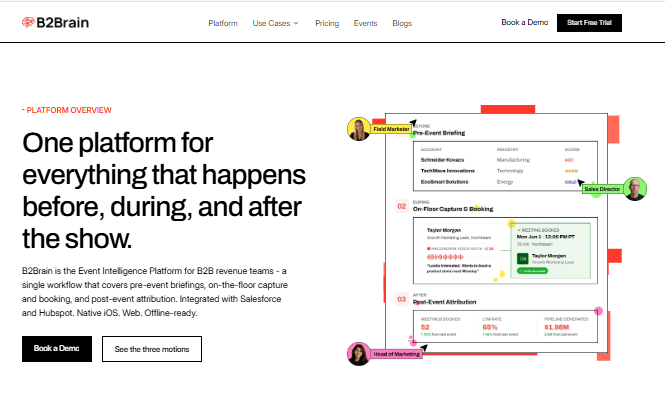
B2Brain captures a badge, adds context, then enriches and syncs the lead to CRM.
📇 Overview
B2Brain is an event lead capture app built for B2B teams whose pipeline comes from trade shows. It does what a badge scanner does, capture the contact, but it also holds the conversation context, books the follow-up meeting on the floor, and writes an attributed record into Salesforce or HubSpot. We built it around one idea: contact information is not where anything happens, pipeline is.
🛠️ Core Services
Voice-first capture: tap once, talk for about 30 seconds, get a structured CRM record.
On-the-floor meeting booking with a dual calendar invite to the prospect and the right AE.
Pre-event target lists built from your own CRM pipeline, not a cold database.
Native Salesforce and HubSpot sync with event attribution intact.
A morning-after report showing pipeline sourced, meetings booked, and Leads-to-Meeting rate.
⭐ Key Features Against the Criteria
OCR accuracy: Captures badges and cards, and where a field is thin, enriches against data you already trust rather than a cold list.
iOS and Android: Native iOS app; runs as a web app on Android (an honest gap we address head-on below).
CRM sync: Native, real-time, two-way with Salesforce and HubSpot, attribution kept.
Speed: Voice capture runs in seconds, and it works offline in hostile expo WiFi, syncing on reconnect.
Duplicate detection: Merges the same prospect when multiple reps scan them at one booth.
🤔 Why Companies Consider B2Brain
The buyer is usually a field marketer walking into a Monday pipeline review. The CEO asks "where is the pipeline from that $70,000 show," and a contact list is not an answer. B2Brain exists to make that answer a number, which is the heart of how we generate new pipeline from events.
We track a metric we coined, Leads-to-Meeting (LTM), the share of booth conversations that become booked meetings. On the floor with B2Brain that runs around 52%, against a rough 8% industry average for post-event follow-up. Conversion probability sits near 85% within two hours of the conversation and decays to about 9% after a week, which is the whole reason we book the meeting before the prospect leaves.
🎯 Ideal Customer Profile
Mid-market B2B in manufacturing, supply chain, energy, or construction.
5 to 15 shows a year, $20K to $200K spend per show, ACV of $25K+.
Salesforce or HubSpot in the stack, 2+ reps per booth.
Buyers: Field/Event Marketing head, VP Sales, RevOps, or a founder building a first events machine.
💰 Pricing
Per-event Show Pass and an annual Pipeline plan for teams running many shows. Review the Show Pass and Pipeline plans in detail. The first event is free for two people, so you can test it against your current scanner at zero risk.
✅ When to Shortlist
You must report per-show pipeline and ROI, not lead counts.
Your reps are measured on meetings booked.
You run Salesforce or HubSpot and care about attribution.
❌ When Not to Shortlist
You are a solo booth or a consumer-facing seller.
You have no CRM, or attend one-off events only.
You need a polished native Android app today, or the deepest third-party enrichment, where Popl, Mobly, and Momencio go further.
Customer Reviews
"The AI Conversation Summarization and Auto-CRM Entry feature is a standout, it's significantly better than other tools we've tried. Reps actually rave about it instead of dreading another sales tool." Ole O., Verified UserB2Brain G2 Verified Review
"Reporting is basic. We can see usage and lead stats, but there are no rep performance dashboards, no clear ROI reporting like time saved or deals influenced." Ole O., Verified UserB2Brain G2 Verified Review
One thing worth naming plainly: our social proof is light. Blinq sits at #1 on G2 with more than 8,800 reviews, while B2Brain has 17 and is running a review campaign now. We would rather you judge us on the LTM outcome than the review count.
1.2 CamCard: Best for solo professionals who want strong raw OCR [toc=1.2 CamCard]
📷 Overview
CamCard is one of the oldest and most recognized business card scanners. It photographs a card, reads the fields with OCR, and saves a clean contact to your phone in seconds. It serves the individual professional collecting cards at conferences, not a booth team chasing pipeline.
🛠️ Core Services
Business card OCR into structured contact fields.
Multi-language recognition for international cards.
Batch scanning of a stack of cards.
Export to phone contacts, and to some CRMs on paid tiers.
⭐ Key Features Against the Criteria
OCR accuracy: A consistent strength, and it handles many languages, though busy or stylized cards still trip it up, as they do every scanner.
iOS and Android: Available on both, with direct save to phone contacts.
CRM sync: Basic export and integrations on paid plans; not a native, real-time revenue sync.
Speed: Fast single-card capture; batch mode helps clear a pile after the show.
Duplicate detection: Present but built for one user's contacts, not multi-rep booth dedup.
🤔 Why Companies Consider CamCard
People reach for CamCard because it is familiar and it just digitizes cards well. For a consultant or an individual seller, that is often the entire job. The decision is usually less about pipeline and more about "get this card off my desk and into my phone cleanly."
The catch is the subscription. Like several scanners in this bucket, the recurring fee irritates users who feel a phone photo does most of the work. That "hidden cost" reaction is worth pricing in before you commit a team to seats.
🎯 Ideal Customer Profile
Solo professionals, consultants, and individual sales reps.
People who collect cards across mixed-language markets.
Users who want a personal contact archive, not a CRM pipeline tool.
💰 Pricing
Freemium, with a paid subscription for higher volume, batch features, and integrations. Exact current pricing is set by the vendor and shifts by region, so confirm on their store listing before buying seats.
✅ When to Shortlist
You are one person who mainly needs clean contacts.
You scan cards in several languages.
You do not need meeting booking or pipeline attribution.
❌ When Not to Shortlist
You run a booth team and need native CRM sync with attribution.
You need to book meetings on the floor or prove per-show pipeline.
You want multi-rep duplicate merging at one booth.
For a B2B event team, CamCard ends where the real work starts. It gives you a clean contact, then leaves the pipeline question, "did this become a meeting," completely unanswered. That gap is exactly the seam an offline-to-pipeline tool for booth teams is built to close, by booking the meeting on the floor and writing the attributed record to your CRM the same day. If you want to see how event lead capture works across before, during, and after the show, that is where the real difference shows up.
1.3 ABBYY Business Card Reader: Best for individuals who prioritize OCR accuracy [toc=1.3 ABBYY Business Card Reader]
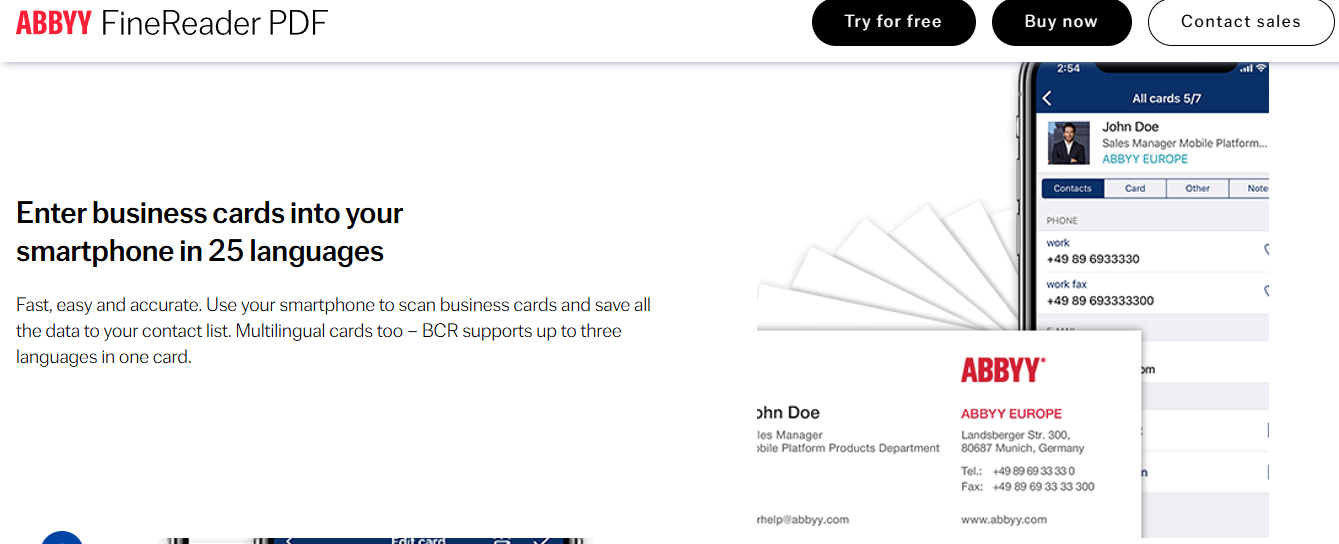
ABBYY Business Card Reader enters cards into your smartphone across 25 languages accurately.
📇 Overview
ABBYY Business Card Reader is built on ABBYY's well-known OCR engine, which reads text from images. It targets the individual professional who wants the cleanest possible parse of a card into a contact. It is a personal tool, not a booth team platform.
🛠️ Core Services
High-accuracy card OCR into structured contact fields.
Recognition across many languages and scripts.
Save directly to phone contacts.
Basic export and cloud backup of scanned cards.
⭐ Key Features Against the Criteria
OCR accuracy: Its main claim to fame, with strong multi-language parsing on standard cards.
iOS and Android: Available on both platforms.
CRM sync: Limited; this is a contacts tool, not a revenue-sync tool.
Speed: Fast single-card capture.
Duplicate detection: Personal-contact level only, not multi-rep dedup.
🤔 Why Companies Consider ABBYY
Buyers pick ABBYY when accuracy is the whole point, for example, sales pros collecting international cards where names and scripts get mangled by weaker apps. The decision logic is simple: get the fields right the first time, so you do not fix them later.
The trade-off is scope. It reads a card beautifully and then stops. There is no meeting booking, no pipeline reporting, and no team layer, so a booth team would outgrow it fast, unlike a purpose-built lead capture app for trade shows.
🎯 Ideal Customer Profile
Individual professionals and consultants.
People handling many international or multi-language cards.
Users who want accuracy over CRM features.
💰 Pricing
Freemium with a paid subscription for higher volume and premium features. Confirm current pricing on the app store listing before committing.
✅ When to Shortlist
Accuracy on tricky cards is your top priority.
You need multi-language recognition.
You want a personal contact tool, not a team platform.
❌ When Not to Shortlist
You run a booth team and need native CRM sync.
You must book meetings on the floor or report pipeline.
You need dedup across multiple reps.
No verified customer reviews were available in the provided source set for this provider.
1.4 Covve: Best for networkers who want relationship reminders [toc=1.4 Covve]
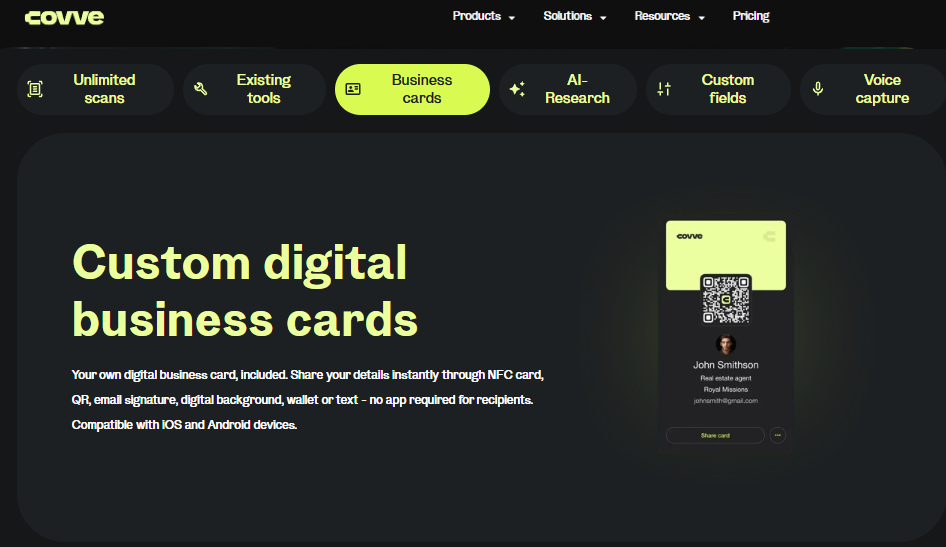
Covve offers custom digital business cards shared via NFC, QR, or wallet.
🔔 Overview
Covve scans cards and layers on a personal relationship manager, nudging you to stay in touch with contacts. It suits the individual networker who cares about nurturing relationships, not running a booth. It is not built for team pipeline.
🛠️ Core Services
Business card OCR into phone contacts.
Follow-up and stay-in-touch reminders.
Contact organizing with notes and tags.
Some enrichment of contact details.
⭐ Key Features Against the Criteria
OCR accuracy: Solid on clean cards, human-assisted on some plans to improve results.
iOS and Android: Available on both.
CRM sync: Personal focus, not native revenue-CRM sync.
Speed: Fine for one-at-a-time capture.
Duplicate detection: Personal contact level.
🤔 Why Companies Consider Covve
People choose Covve because it turns a pile of cards into an active network with reminders. That is genuinely useful for relationship-driven sellers who lose touch with contacts otherwise.
The friction shows up in cost. Reviewers push back hard on the annual subscription, feeling it is steep for saving a card. That "hidden cost" reaction is worth weighing before you sign up a team, especially when a free lead capture option may cover the basics.
🎯 Ideal Customer Profile
Solo networkers and relationship-driven sellers.
Consultants and business developers.
Users who want reminders, not CRM pipeline.
💰 Pricing
Freemium with a paid subscription. Reviewers commonly cite an annual fee near $119, so confirm the current figure before buying.
✅ When to Shortlist
You want to actively nurture a personal network.
You value follow-up reminders.
You are one person, not a booth team.
❌ When Not to Shortlist
You need native CRM sync and attribution.
You must prove per-show pipeline.
You want team-wide dedup and reporting.
No verified customer reviews were available in the provided source set for this provider.
1.5 Popl: Best for small teams wanting a digital card plus lead capture [toc=1.5 Popl]
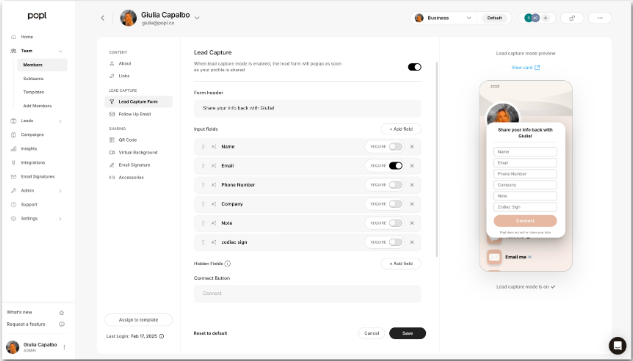
Popl dashboard configuring a lead-capture form where recipients share their own contact details.
📱 Overview
Popl started as a digital business card, a tap-to-share profile, and later added event lead capture. It leads with the rep-side card, then bolts capture on. It suits small teams who value sharing their own info as much as collecting others'.
🛠️ Core Services
Digital business card sharing by tap or QR code.
Event lead capture with QR forms.
Basic contact and lead management.
Integrations with common CRMs on paid tiers.
⭐ Key Features Against the Criteria
OCR and badge capture: Present, but reviewers report it can be confusing and, in one case, failed to scan badges at a conference.
iOS and Android: Available on both.
CRM sync: Available on paid plans, not the depth of a native revenue tool.
Speed: The share flow can add friction, as it often asks the recipient to act or create an account.
Duplicate detection: Not a clear strength in the reviews.
🤔 Why Companies Consider Popl
Teams pick Popl to ditch paper and look modern, with a card that lives on the phone. For lightweight lead capture at smaller events, it can be enough.
The structural catch is that Popl leads with the digital card, so its center of gravity is sharing your info, not building pipeline. Reviewers also flag the recurring cost and the account friction for recipients, which is why some teams weigh Popl alternatives.
🎯 Ideal Customer Profile
Small teams and individual reps.
Networking-heavy roles at smaller events.
Buyers who want a digital card first, capture second.
💰 Pricing
Freemium and paid seats, with annual plans. Reviewers reference figures around $140 a year, so confirm current pricing.
✅ When to Shortlist
You want a polished digital business card for the team.
Your events are small and networking-led.
Lead capture is a nice-to-have, not the core job.
❌ When Not to Shortlist
You need pipeline attribution and per-show reporting.
You run big booths where badge scanning must just work.
You want a capture-first, not card-first, tool.
Customer Reviews
"Lead capture is likely the most positive element of Popl. However, it's far too cumbersome when all someone wants is your contact information." Vadim E., Verified UserPopl G2 Verified Review
"I hoped Popl would scan badges for contact info at a conference, but it didn't work and I couldn't figure out how to use it." Drew D., Verified UserPopl G2 Verified Review
1.6 Mobly: Best for B2B teams needing enrichment and follow-up [toc=1.6 Mobly]
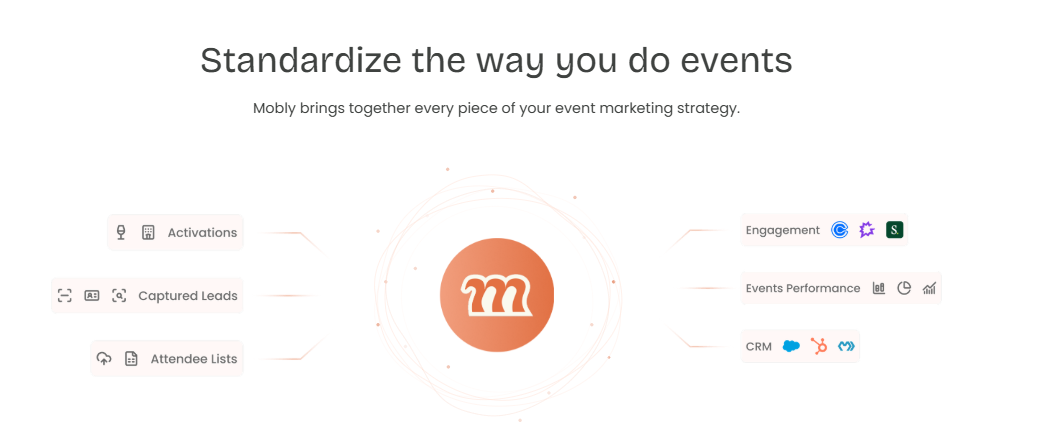
Mobly unifies captured leads, activations, and attendee lists into engagement, performance, and CRM.
🤖 Overview
Mobly frames itself as AI-powered event marketing. It scans cards and badges, enriches the data, and pushes leads to the CRM, with voice notes and auto follow-up. It is a genuine B2B team tool, and the closest capture-plus-enrich peer to B2Brain on this list.
🛠️ Core Services
Business card and badge scanning.
Data enrichment from name and company.
Voice notes on the lead.
CRM sync, including Salesforce.
Automated follow-up emails.
⭐ Key Features Against the Criteria
OCR and badge capture: Works well, though reviewers note it can be finicky and occasionally miss syncing scanned leads.
iOS and Android: Available for mobile capture.
CRM sync: Salesforce integration exists, but reviewers call setup difficult and match costs high.
Speed: Voice notes help, though some users report lag before leads appear.
Duplicate detection: One reviewer noted occasional duplicate contacts.
🤔 Why Companies Consider Mobly
Teams pick Mobly to enrich thin badge data and automate first follow-up, which is real value for event-heavy programs. The voice notes feature earns specific praise for capturing context fast. Buyers comparing options often read a detailed Mobly review first.
The structural gap is the outcome. Mobly enriches the contact and can email it, but it does not book the meeting on the floor, and it does not report a Leads-to-Meeting number. You still get a richer contact list, not proven pipeline.
🎯 Ideal Customer Profile
Mid-market B2B teams running many events.
Reps who value enrichment and auto follow-up.
Salesforce or HubSpot users comfortable with setup effort.
💰 Pricing
Custom quote, with match-based costs per enriched contact. Reviewers say per-contact match costs can add up.
✅ When to Shortlist
You want enrichment and automated follow-up.
You capture badges and cards across many shows.
You will invest time in CRM setup.
❌ When Not to Shortlist
You need meetings booked on the floor, not just emails sent.
You must report LTM and per-show pipeline.
You want quick, low-effort Salesforce sync out of the box.
Customer Reviews
"We really like the voice notes feature... It was challenging to get it to sync with Salesforce... The cost of matches per contact, I think, is kinda high." Ece K., Verified UserMobly G2 Verified Review
"Sometimes Mobly can be finicky, where it doesn't sync all the leads I've scanned... we end up with a lot fewer than we expected." Verified User in Events ServicesMobly G2 Verified Review
1.7 iCapture: Best for enterprise exhibitors running 10+ shows a year [toc=1.7 iCapture]
Cvent Community, where event professionals learn, ask, and discuss lead capture workflows.
🏢 Overview
iCapture is an enterprise lead capture platform focused on reliability and event metrics. It captures badges and cards, syncs to systems, and reports on event performance. It serves large exhibitors who run many shows and need consistency, not an AI narrative.
🛠️ Core Services
Badge and business card capture.
Qualifying forms and field mapping.
Event metrics and staff performance reporting.
Integrations to marketing and sales systems.
⭐ Key Features Against the Criteria
OCR and badge capture: Reliable, though one reviewer noted card transcription can occasionally produce wrong emails or numbers.
CRM sync: Integrates broadly, but one reviewer noted it does not natively integrate with their CRM.
Speed: "It just works" is a recurring theme in reviews.
Metrics: A clear strength, with busiest-time and rep-performance reporting.
Duplicate detection: Not a highlighted feature in the reviews.
🤔 Why Companies Consider iCapture
Big exhibitors choose iCapture for dependable capture across a heavy show calendar, plus ROI and staffing metrics. When you run dozens of events, "it just works" is worth a lot. Teams weighing the field often compare a Popl vs iCapture breakdown before deciding.
The trade-off is that iCapture centers on capture and reporting, not on booking the meeting during the conversation. It gives you clean leads and event analytics, then hands the pipeline job back to your team.
🎯 Ideal Customer Profile
Enterprise exhibitors, 10+ shows a year.
Teams needing event metrics and staff accountability.
Buyers who value reliability over AI features.
💰 Pricing
Annual, enterprise quote. An approximate reference figure of about $8,000 per year circulates, but confirm directly, as pricing is not fully public.
✅ When to Shortlist
You run many events and need rock-solid capture.
You want event metrics and ROI reporting.
You have the budget for an annual enterprise tool.
❌ When Not to Shortlist
You need meetings booked on the floor.
You want a Leads-to-Meeting pipeline number.
You are a small team doing one or two shows.
Customer Reviews
"We recently used iCapture at an event and it was seamless... Easy to use, efficient, and it just works!" Natalie S., Verified UseriCapture G2 Verified Review
"Business card transactions can be inaccurate at times, which has caused incorrect email addresses or phone numbers in a few cases." Verified User in TransportationiCapture G2 Verified Review
1.8 Blinq: Best for individuals wanting a polished digital card [toc=1.8 Blinq]
💳 Overview
Blinq is a digital business card app with strong design and the largest review base in this category. It shares your info by QR or link and can scan cards into contacts. It is built around the rep-side card, not team pipeline.
🛠️ Core Services
Digital business card sharing by QR, link, or tap.
Card scanning into contacts.
Team card management on the backend.
Some CRM integrations on paid plans.
⭐ Key Features Against the Criteria
OCR and scanning: Reviewers report the QR and scanning can be unreliable on weak WiFi.
iOS and Android: Available on both.
CRM sync: Present on higher tiers, not a deep revenue-sync focus.
Speed: Sharing is fast when it works, but recipients sometimes hit app-download prompts.
Duplicate detection: Reviewers note follow-ups can get lost in a "sea of contacts."
🤔 Why Companies Consider Blinq
Blinq wins on polish and trust signals. It holds the #1 spot on G2 in its category with more than 8,800 reviews, which reassures buyers. Those weighing it against similar tools often read a HiHello vs Blinq comparison first.
The structural catch is the same as other card-first tools. Blinq is designed to share your info, and reviewers say collected contacts scatter across the phone, making post-show follow-up hard to organize.
🎯 Ideal Customer Profile
Individuals and teams wanting a branded digital card.
Networking-led roles.
Buyers who value design and social proof.
💰 Pricing
Freemium with paid individual and team plans. Confirm current pricing on the vendor site.
✅ When to Shortlist
You want a polished, well-reviewed digital card.
Sharing your info matters more than pipeline.
You network more than you exhibit.
❌ When Not to Shortlist
You need organized post-show follow-up and pipeline.
You depend on reliable capture on weak convention WiFi.
You want native CRM attribution.
Customer Reviews
"When you do share your info, it saves the person's business card as contact info in their phone. This makes it tough to find again after a big tradeshow." Madison Z., Verified UserBlinq G2 Verified Review
"It doesn't always work reliably when scanning the barcode, especially in places with poor internet connectivity. This has made it necessary for me to consider... printed business cards as a backup." Kasha A., Verified UserBlinq G2 Verified Review
1.9 HubSpot business card scanner: Best for existing HubSpot users on a budget [toc=1.9 HubSpot Card Scanner]
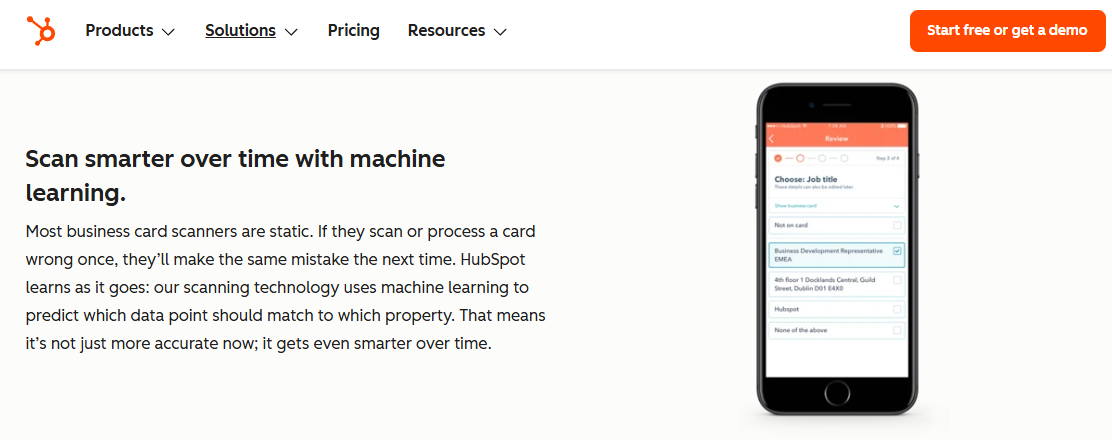
HubSpot's card scanner uses machine learning to match card data into contact fields.
🆓 Overview
The HubSpot business card scanner is a free feature inside the HubSpot mobile app. It photographs a card, reads the fields, and creates a contact directly in the HubSpot CRM. It is the obvious free starting point if you already run HubSpot.
🛠️ Core Services
Business card OCR into a HubSpot contact.
Direct creation in the HubSpot CRM.
Free with any HubSpot account.
⭐ Key Features Against the Criteria
OCR accuracy: Fine for clean, standard cards; expect the usual drops on busy layouts.
iOS and Android: Available in the HubSpot mobile app.
CRM sync: Native to HubSpot, which is its whole point; no help if you run Salesforce.
Speed: Adequate for occasional use, not built for booth rush hour.
Duplicate detection: Relies on HubSpot's own contact dedup, not booth-specific merging.
🤔 Why Companies Consider the HubSpot Scanner
If you already pay for HubSpot, this is free and lands the contact right where your workflows live. For a solo user or a light event, that is often all you need, and it may save you from buying a paid app at all.
The limits are real. It is scoped to HubSpot only, it has scan and usage caps, and it does no meeting booking, no pipeline attribution, and no offline-first capture for a busy floor, which is where a dedicated approach to generating new pipeline from events pulls ahead.
🎯 Ideal Customer Profile
Existing HubSpot users.
Solo reps and small teams on a budget.
Light event or networking use.
💰 Pricing
Free with a HubSpot account.
✅ When to Shortlist
You already use HubSpot.
You want a zero-cost starting point.
Your event needs are light.
❌ When Not to Shortlist
You run Salesforce, not HubSpot.
You need meetings booked and pipeline reported.
You need reliable capture at a busy, offline-prone booth.
No verified customer reviews were available in the provided source set for this provider.
🧪 How We Evaluated These Providers
We drew on hands-on scanner testing, then cross-checked verified G2 and Capterra reviews for real quotes with source links.
We prioritized the four title criteria (OCR accuracy, iOS/Android contacts sync, speed, and duplicate detection), plus CRM sync model and true cost, because those drive the actual purchase.
We de-prioritized aesthetic and gamification features, since they do not decide whether a scanned card becomes pipeline.
We state B2Brain's own gaps plainly: the native app is iOS-only, third-party enrichment depth is lighter than Popl, Mobly, or Momencio, and there is no digital business card.
Where a provider had no verified review in the source set (ABBYY, Covve, HubSpot scanner), we said so rather than inventing one.
🎯 Which Provider Should You Shortlist?
The solo networker who just wants clean contacts should test CamCard, ABBYY, or free Google Lens, and skip paid team tools.
The relationship-driven seller who forgets to follow up should try Covve for its reminders.
The HubSpot user on a budget should start with the free HubSpot scanner before paying for anything.
The B2B team wanting enrichment and auto follow-up should pilot Mobly, accepting the setup effort.
The enterprise exhibitor running 10+ shows should shortlist iCapture for reliability and metrics.
The field marketer or VP Sales measured on booked meetings and per-show pipeline should run B2Brain's first-event-free trial against their current scanner, since that is the one tool here built to book the meeting on the floor and report the pipeline the next morning. See how event lead capture works before, during, and after the show, or Book a Demo to test it on your next show.
Q2. Why do most scanned business cards never turn into revenue? [toc=2. Why Cards Die]
Most scanned cards never convert because capture is not the bottleneck. Follow-up speed and context are. A clean contact that reaches an inbox three days later competes with forty identical emails. Conversion probability runs around 85% within two hours of the conversation and collapses to about 9% after a week, so a card saved without immediate, contextual follow-up decays before anyone acts on it.
There is a rep I think about often. He came back from a show, dropped a stack of cards on his desk, and told himself he would enter them "this week." Six months later, that stack was still there. This is the shoebox problem, and almost every booth team has a version of it.
📦 The Problem: A Contact Is Not a Conversation
The default trade-show tool is a rented badge scanner. It saves a name, a title, and an email into a CSV file, a spreadsheet you export. Then the workflow just ends, which is exactly why teams look for a better conference badge scanner.
The card, or the badge scan, tells you who you met. It does not tell you why you talked, what they needed, or what you promised. That context is where the deal lives, and it evaporates the moment the rep walks to the next conversation.
💸 The Agitation: The Decay Curve Is Brutal
Here is the part that hurts. A booth conversation is hottest right after it happens, then it cools fast.
Conversion probability sits near 85% within two hours of the conversation.
It drops to roughly 9% after a week.
One operator ran a simple experiment at a print expo. He collected about 100 business cards, then waited. One week later, only two people had emailed back, roughly a 95% failure rate on follow-up. The cards were fine. The follow-up was too slow and too generic.
⏰ Why This Happens
Reps do not fail because they are lazy. They fail because the tools make follow-up harder than it should be.
Typing a card into Salesforce from the back of a cab loses half the context. By the time marketing exports the CSV, dedupes it, and hands it to sales, days have passed, which is why lead capture into Salesforce needs to happen in real time.
✅ The Payoff: Judge Tools on Speed and Context, Not Just OCR
So the real question is not "did the app read the card." It is "did that card become a booked meeting while the lead was still hot."
This is why the next section scores apps on capture speed, CRM sync, and dedup, not just Optical Character Recognition (OCR), the tech that reads text from an image. At B2Brain we track this with a metric we call Leads-to-Meeting (LTM), the share of booth conversations that turn into a booked meeting. On the floor that runs about 52%, against a rough 8% industry average for post-event follow-up, and that gap, which is the whole point of how we generate new pipeline from events, is the entire ballgame.
Q3. How should you evaluate a card scanner, and how accurate is business card OCR? [toc=3. Evaluation Criteria and OCR]
Score any card scanner on five things: OCR accuracy on busy layouts, iOS and Android contacts and CRM sync (native real-time versus a CSV you import later), speed under load, duplicate detection, and true cost including subscription caps. Modern OCR reads clean cards reliably but drops on stylized fonts, logos, two-sided cards, and non-Latin scripts, where enrichment and a quick human review close the gap.
Buyers often obsess over one number, the OCR accuracy score. That is the wrong place to start. The tools that fail booth teams usually read the card fine, then drop the ball on everything after. Let me define the five criteria that actually matter, each with a concrete failure example.
The Five Criteria That Matter
🎯 1. OCR Accuracy on Busy Cards
OCR means Optical Character Recognition, the software that turns a card photo into text fields. It handles a clean, standard card well.
The failure case is a designed card: a heavy logo, a script font, or a two-sided layout. On those, the name or email often comes out garbled, and a wrong email silently breaks your follow-up.
🔄 2. CRM Sync Model
This is the axis most buyers underrate. There is a big difference between native, real-time sync and a CSV export.
Native sync writes the lead straight into Salesforce or HubSpot as it happens. A CSV export means someone uploads a file days later, which is exactly when leads go cold. If the tool "integrates" only by file upload, treat that as a red flag, and look for universal lead capture that writes back natively.
⚡ 3. Speed Under Load
Speed matters most at 2pm on day two, when a queue forms at your booth. If capturing one lead takes 45 seconds of typing, reps stop doing it.
The failure mode is predictable. When an app hesitates on weak WiFi, reps quietly revert to snapping camera-roll photos, and that context is lost by dinner.
👥 4. Duplicate Detection
Dedup means merging records for the same person instead of creating two. At a shared booth, three reps might scan the same prospect.
A good tool merges them into one clean record. A weak one dumps three conflicting duplicates into your CRM, which your RevOps team then has to untangle.
💰 5. True Cost
Look past the sticker price to the caps and the recurring fee. Many scanners meter scans or charge per enriched contact.
Reviewers of one popular scanner revolt at paying around $119 a year "to save a card I could photograph for free." Sometimes the honest answer is that a free lead capture app, like Google Lens or the HubSpot scanner, is enough.
🤔 So How Accurate Is Business Card OCR, Really?
Here is the honest read. OCR is very reliable on clean cards for standard fields like name, title, company, phone, and email. On messy cards, it degrades, and no vendor's lab-test decimal fixes that in the real world.
The smarter lever is enrichment, filling gaps from a data source, but be careful. Cold enrichment databases can be actively harmful, generating duplicates and wrong emails that pollute the CRM. At B2Brain we take a different path: we enrich against the customer's own CRM pipeline, data they already trust, and keep native real-time sync so the record lands clean the first time. That combination beats chasing a higher OCR score on paper.
Q4. How do these apps handle CRM sync, speed at a busy booth, and duplicates? [toc=4. Sync, Speed and Dedup]
Every app saves to iOS or Android contacts, but performance diverges on three fronts. Native real-time Salesforce or HubSpot sync makes a lead workable in minutes. A CSV export you upload later is where trade-show pipeline dies. If scanning stalls on weak WiFi, reps revert to camera-roll photos. And when several reps scan the same prospect, good tools merge the record while weak ones dump conflicting duplicates.
Picture the scene. It is 2pm on day two, a small queue has formed at the booth, and the convention WiFi is crawling. This is the moment that separates a tool that works from a tool that gets abandoned.
🔄 CRM Sync: Native vs the CSV Graveyard
The single biggest divide in this category is how a lead reaches your CRM. Native, real-time sync writes the record instantly, with event attribution intact. A CSV import is a manual file upload, usually done days later.
CRM Sync Models Compared
Sync model
What it means
Where it breaks
Native real-time
Lead lands in Salesforce/HubSpot as scanned
Rare; the standard to want
App-then-sync
Lead sits in the app, syncs on setup
Reviewers report leads that "disappear" or lag
CSV export
Someone uploads a file later
Leads cool for days before anyone acts
Mobly, for example, does push to Salesforce, but reviewers call the setup difficult and note leads that do not always sync through. A rented badge scanner is worse: it ends at the CSV, full stop, which is why a purpose-built lead retrieval app for trade shows matters.
⚡ Speed and Offline Reliability
At rush hour, capture speed is adoption. A tool that takes too long simply does not get used when the booth is busy.
Weak expo WiFi is the hidden killer here. Several apps depend on a live connection to scan or share, and reviewers say they fail exactly when the hall is crowded.
"It doesn't always work reliably when scanning the barcode, especially in places with poor internet connectivity. This has made it necessary for me to consider... printed business cards as a backup." Kasha A., Verified UserBlinq G2 Verified Review
This is why offline-first capture matters. At B2Brain, capture works in hostile WiFi and syncs on reconnect, and voice capture gets a structured record out in about 4.2 seconds, roughly one-fifth the time of typing notes. If the app hesitates, the rep reverts to photos, and the product is effectively dead, so we designed to remove that hesitation, which is central to how event lead capture works before, during, and after the show.
👥 Multi-Rep Duplicate Detection
Dedup is a one-line bullet on most vendor pages, but at a shared booth it is a real failure mode. When two or three reps scan the same prospect, weak tools create conflicting records.
"The app is a little buggy! I think the contacts made a few duplicates." Verified User in Consumer GoodsMobly G2 Verified Review
The cost is not just messy data. Bad dedup breaks attribution, so RevOps cannot tell which rep or booth area actually sourced the pipeline.
🧾 What This Means for the Buyer
Put the three together and a pattern emerges. Capture is commoditized, but the sync model, offline speed, and dedup decide whether a scan becomes attributable pipeline.
This is the seam B2Brain is built for, and it is where the booth-day workflow for booth teams earns its keep. We keep native Salesforce and HubSpot sync with attribution intact, capture offline in seconds, and merge multi-rep duplicates, then deliver a morning-after report to the CMO by 9am showing pipeline sourced, meetings booked, and LTM by show, booth area, rep, and segment. A clean contact in a CSV cannot answer "where is the pipeline." A synced, deduped, booked meeting can. If that is the number you are chasing, Book a Demo and test it on your next show.
Q6. Is there a free app to scan business cards into contacts, and when is paid worth it? [toc=6. Free vs Paid ROI]
Yes. Google Lens, the free HubSpot scanner, and free tiers of HiHello and Blinq save cards to your contacts at no cost, with limits on scan volume, enrichment, and CRM depth. Paid tools earn their price only when a missed meeting is expensive. A scanned lead that becomes a booked meeting is worth far more than the roughly $600-per-device a rented badge scanner costs just to access your own data.
Let me be blunt about the free question, because most vendor listicles dodge it. For a lot of people, the honest answer is that you do not need to pay anything.
🆓 The Free Options (and Their Real Caps)
If you scan a few cards a month, free tools handle it fine. The catch is always the caps.
Google Lens: Reads a card and lets you save the contact, completely free. No CRM, no team features.
HubSpot business card scanner: Free with any HubSpot account, and it lands the contact in your CRM. HubSpot only.
Blinq and HiHello free tiers: Save cards and share a digital card, with limits on volume and CRM depth.
The friction shows up when you scale. Reviewers of paid scanners push back hard on recurring fees for a task that feels basic. This is where a genuine free lead capture app comparison helps you avoid overpaying.
"The price, $140 a year? No way, would rather print thousands of business cards." Fabian T., Verified UserPopl G2 Verified Review
💰 The ROI Threshold: When Paid Pays for Itself
Paid tools stop being about scanning and start being about pipeline. The math is simple once you frame it around the booth spend, and a quick event ROI calculator makes it concrete.
Work it backwards. A booth might cost around $70,000. If the boss wants 10x pipeline, at a 20% close rate that is roughly 2x revenue ROI, and to hit a $1M pipeline target you need about 50 opportunities. That means roughly 1 in 5 booth visitors has to become a qualified meeting, so the tool that books meetings, not just saves cards, is where the money is.
💸 The Hidden Cost of the "Free" Scanner
Here is the irony. The organizer's rented badge scanner is not really free either. It often costs around $600 per device per show, just to let you access leads you already earned, which is why teams look for a better conference badge scanner.
A qualified event meeting is cheaper to source than most alternatives. In our experience, it runs about 60% the cost of an outbound meeting and roughly 40% of paid acquisition, which is exactly why leaving that pipeline in a CSV is a $40,000 leak, not a convenience, and why teams focus on how to generate new pipeline from events.
⏰ A Low-Risk Way to Test
You do not have to take the ROI math on faith. My rule has always been simple: spend $10K on a happy hour, I want $30K closed, a 3x return.
That is why B2Brain offers a first event free for two people, which you can weigh against the Show Pass and Pipeline plans. Run it beside your current scanner at one show, then compare how many booked meetings and how much sourced pipeline each one actually produced. Let the number decide.
Q7. Which business card scanner should you choose for your role and use case? [toc=7. Choosing By Role]
Pick by the job, not the feature list. A solo networker who just wants clean contacts should use Covve, CamCard, or free Google Lens. A B2B team needing enrichment and follow-up should look at Mobly or Popl. A field-marketing or sales team measured on booked meetings and per-show pipeline should evaluate B2Brain. RevOps prioritizing attribution-intact CRM sync and dedup should choose native real-time sync over any CSV-export tool, whatever the brand.
After all the criteria and reviews, the decision comes down to who you are and what you are measured on. Here is how I would map it.
🎯 Choose by Who You Are
You are a solo networker who just wants clean contacts in your phone. Use CamCard, ABBYY, or free Google Lens, and do not pay for team features you will never touch.
You are a relationship-driven seller who forgets to follow up. Covve's reminders are built for you.
You already run HubSpot and want zero extra spend. Start with the free HubSpot scanner.
You run a B2B team wanting enrichment and automated first-touch emails. Pilot Mobly, and budget time for the Salesforce setup, and read a detailed Mobly review first.
You are an enterprise exhibitor doing 10+ shows and need rock-solid capture with metrics. Shortlist iCapture.
You are a field marketer or VP Sales measured on booked meetings and per-show pipeline. Evaluate B2Brain, since it is the one tool here built to book the meeting on the floor and report the pipeline the next morning, which is the core of the booth-day workflow for booth teams.
You are RevOps who got burned when a CSV sync silently broke. Insist on native, real-time sync with dedup, from whichever vendor proves it, ideally with lead capture into Salesforce that writes back in real time.
🤝 One Last Thought Before You Decide
I have watched deals from a first booth conversation take 524 days to close. I really wish someone had shown me earlier how much fast, contextual capture shortens that cycle, which is the whole reason to understand how event lead capture works before, during, and after the show.
The tools that just save a contact leave that clock running. The ones that book the meeting while the lead is still warm start compressing it. Because in the end, the money in a trade show is made in the follow-up, not the badge scan.
So rather than a demo pitch, I would rather ask: what show are you prepping for next, and what does your team actually get measured on when you get back? Tell me that, and the right pick usually names itself. When you are ready to test it on that show, Book a Demo.
FAQ's
What is the best app that scans business cards into contacts in 2026?
There is no single best app, because the right pick depends on the job you are hiring it for. We split the category into two groups.
Contact savers: CamCard, ABBYY, and Covve are strong when a clean contact in your phone is the entire job, especially for solo networkers.
Pipeline tools: B2Brain, Mobly, and iCapture are built for B2B teams who need the scan to become a booked meeting and attributable revenue pipeline.
For a solo professional, a free option like Google Lens or CamCard is usually enough. For a booth team at a 70,000 dollar show, the question shifts from did we save the contact to did that contact become a meeting before the prospect walked away.
That is the gap we built B2Brain to close, by capturing with context, booking the meeting at the booth, and writing an attributed record to the CRM. You can see how event lead capture works before, during, and after the show, then match it against your own use case.
Is there a free app to scan business cards into contacts?
Yes, and for light use we think free is often the honest answer. Several options save cards to your contacts at no cost.
Google Lens: Reads a card and saves the contact, completely free, with no CRM or team layer.
HubSpot business card scanner: Free with any HubSpot account, landing the contact straight in the CRM, though it is HubSpot only.
Blinq and HiHello free tiers: Save cards and share a digital card, with caps on volume and CRM depth.
The catch is always the caps on scan volume, enrichment, and CRM depth. If you scan a few cards a month, a free tool handles it, and paying over a hundred dollars a year can feel absurd.
Paid tools earn their price only when a missed meeting is expensive, which is a different job entirely. If you are weighing the trade-offs, our breakdown of a free lead capture app lays out where the free options stop and where paid pipeline tooling starts to pay for itself.
How accurate is business card OCR, and does it work on busy card designs?
Optical Character Recognition, the software that turns a card photo into text fields, is very reliable on clean, standard cards for name, title, company, phone, and email. It degrades on harder inputs.
Where it drops: stylized fonts, heavy logos, two-sided layouts, and non-Latin scripts, where a name or email can come out garbled.
Why that matters: a single wrong email silently breaks your follow-up, so a high lab-test accuracy number does not always survive the real world.
The smarter lever is enrichment, filling the gaps from a data source, but cold enrichment databases can be actively harmful, generating duplicates and wrong emails that pollute the CRM.
We take a different path, enriching against the customer's own CRM pipeline, data they already trust, while keeping native real-time sync so the record lands clean the first time. That approach beats chasing a higher OCR score on paper, and it is a big part of how we help teams generate new pipeline from events without a messy data cleanup afterward.
Which card scanner has native Salesforce or HubSpot sync instead of a CSV export?
The biggest divide in this category is not OCR, it is how the lead reaches your CRM. There are three models.
Native real-time: the lead lands in Salesforce or HubSpot as it is scanned, with attribution intact.
App-then-sync: the lead sits in the app and syncs later, where reviewers report leads that lag or disappear.
CSV export: someone uploads a file days later, which is exactly when leads go cold.
Mobly does push to Salesforce, but reviewers call the setup difficult and note leads that do not always sync through. A rented badge scanner is worse, ending at the CSV entirely.
We keep native, real-time, two-way sync with Salesforce and HubSpot, with event attribution preserved and multi-rep duplicates merged. If native sync is your priority, our guide to lead capture into Salesforce explains what to demand from any vendor, whatever brand you ultimately choose.
Why do most scanned business cards never turn into revenue pipeline?
Because capture is not the bottleneck. Follow-up speed and context are, and both decay fast after the conversation ends.
The decay curve: conversion probability sits near 85 percent within two hours of a booth conversation and drops to roughly 9 percent after a week.
The context loss: a card tells you who you met, not why you talked or what you promised, and that context is where the deal lives.
One operator collected about 100 cards at an expo, waited a week, and got two replies, a roughly 95 percent follow-up failure. The cards were fine; the follow-up was too slow and too generic.
We track this with a metric we coined, Leads-to-Meeting, the share of booth conversations that become booked meetings. On the floor that runs about 52 percent, against a rough 8 percent industry average for post-event follow-up. Booking the meeting while the lead is hot is the whole point, which is why we designed the booth-day workflow for booth teams around speed and context rather than storage.
Enjoyed the read? Join our team for a quick 30-minute chat — no pitch, just a real conversation on how we’re rethinking Event Intelligence in B2b.

.png)
.png)

.png)






